Piedmont PD
  • Celebrating Piedmont
  • StudentSpace
  • Piedmont PD
  • Lesson Ideas
  • News and Thoughts

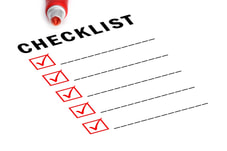
Turn Checklists into Playlists in 6 steps

3/21/2018

0 Comments

 
This post inspired by the patient coaching of Lisa Allred in CMSPDL
Picture
Improve Your Student To-Do Lists in 6 Steps

Do you give students lists of unit work to complete and check off by a certain deadline?

An efficient way to tweak this system to work better for all students is to follow these steps:


  1. Write down a list of everything you need all students to know at the end of your next unit. (use the standards for ideas)
  2. Find teaching resources for each item in list 1:  worksheets, videos, and readings that will all teach the standard.  You will share this resource list  with students according to the scores in step 6.
  3. Create a pretest separated into sections based on those end mastery goals from step 1.
  4. Pretest students
  5. Give the list from step 1 to students. Have students write down their pretest scores on item on the list
    1. Option --  Turn this list into a real data chart students can color in as they improve from apprentice to novice to practitioner to master. You would help students set their own goals of how to get to mastery and by when. (meet with small groups based on scores)
  6.  Tell students “Look at your scores. If you scored Above X on any area, highlight it now because you have masered it. If you scored below X on any part of the pretest, do the work for that section only.  You have now turned your “checklist” into a “playlist” It can also be called a menu or other names- It doesn’t matter what you call it, just know it works.
    1. Option A: Instead of one cutoff level (below "X") make 4 cutoff scores: Master, Practitioner (almost mastered) , Apprentice (lower score) and Novice (lowest score)
    2. Option B: IF YOU REALLY WANT TO INCREASE BUY IN, mix in a bit bit of choice in what they can check off to show completion.  Example: instead of all kids watch X video, they can choose to Eitehr watch the video OR read a passage of the same content.  This can be called entrees or desserts on the menu or be called a choice board or a blendspace if using TES blendspace website -- you can be creative and name it after something in your subject area. It doesn’t matter what you call it, just know it works
    3. Option C: If you dont NEED their work to follow an exact sequence you can turn your checklist into a “pathway” instead. That “takes away the sequentialness of a playlist and incorporates more choice and student voice (through student led conferences where you as the teacher help them decide what products they want to work on creating to show mastery)
    4. Option D: If you want SOME work to take place in sequence, and some work to be student choice, you can mix them. CMSPL calls this a “play way” (a blend)

Picture

While students are working on step 6 you can be conferencing with small groups, reteaching, retesting, etc. (I used to do this kind of think in the 90s here at Piedmont when we were open. The difference is I didn't pretest or use data)


​
Ms Allred, or PL specialist taught me that “ There has to be some way in the DESIGN of the playlist structure to give students control over the pace of their learning using some data point(s). 


I can help you!  Email me or come see me and I can:

make you a data chart
make you a pretest
make you a relooping QUIZZIZ
make you a menu or choice board of assignments. 

walk you through all this verbally and more! Let me know what you need.

- Lisa Gurthie

Related Posts:
http://piedmontpd.weebly.com/piedmont-pd/classroomingredients
http://piedmontpd.weebly.com/piedmont-pd/learning-from-elementary-school


0 Comments

    Categories

    All
    Active Learning
    App
    Character Ed
    Close Reading
    Common Core
    Critical Thinking
    Design Thinking
    Digital Citizenship
    Digital Literacy
    Fiction
    Google
    Interdisciplinary
    Maker
    Math
    Nonfiction
    PBL
    Pedagogy
    Problem Solving
    Reading
    Schoolwide
    Science
    Social Emotional Learing
    Socratic
    Sports
    STEAM
    Tech
    Test Prep
    Visual Literacy
    Whole Child

    Author

     I am Lisa Gurthie the PD facilitator at Piedmont IB Middle School. She specializes in tech and arts integration, interdisciplinary, holistic education, and unschooling school to make it more real and relevant. One day I will modernize my "about" page. Check out the other blogs on this site for Lesson Ideas, Celebration of Good Teaching, and Piedmont PD

    Archives

    February 2021
    November 2018
    April 2018
    March 2018
    February 2018
    October 2017
    June 2017
    March 2017
    February 2017
    September 2016
    August 2016
    June 2016
    May 2016
    February 2016
    January 2016
    October 2015
    September 2015
    June 2015
    May 2015
    April 2015
    March 2015
    February 2015
    January 2015
    October 2014
    September 2014
    August 2014
    May 2014
    April 2014
    March 2014
    February 2014
    January 2014

    Categories

    All
    Active Learning
    App
    Character Ed
    Close Reading
    Common Core
    Critical Thinking
    Design Thinking
    Digital Citizenship
    Digital Literacy
    Fiction
    Google
    Interdisciplinary
    Maker
    Math
    Nonfiction
    PBL
    Pedagogy
    Problem Solving
    Reading
    Schoolwide
    Science
    Social Emotional Learing
    Socratic
    Sports
    STEAM
    Tech
    Test Prep
    Visual Literacy
    Whole Child

    RSS Feed

Powered by Create your own unique website with customizable templates.
Photos from citymaus, The All-Nite Images, Lindy Buckley, peasap, Claudio Gennari ..."Cogli l'attimo ferma il tempo", mikemariano, faungg's photos, frankieleon, Chris Piascik, Kurisu, familymwr, kc7fys, el_itur, cowbite, eilonwy77, pestoverde, Marcin Wichary, Postmemes.com, alexliivet, UK in Italy, JoeInSouthernCA, Nathan O'Nions, jimmiehomeschoolmom, surreynews, Hans-Jörg von Schroeter, Bekathwia, CarbonNYC, marc falardeau, conorwithonen, LeonArts.at, Nina Matthews Photography, Georgie Pauwels, cwwycoff1, dullhunk, The All-Nite Images, Castles, Capes & Clones, warrenski, juhansonin, Ke7dbx, Muffet

  • Celebrating Piedmont
  • StudentSpace
  • Piedmont PD
  • Lesson Ideas
  • News and Thoughts