|
Would you like parents or out of town people to watch special events or student presentations in your classroom? Here are 10 steps to livestream events in your classroom: 1. Notify viewers of the time to tune in and the URL of the Facebook page you'll be livestreaming from ( for example, your personal page, a school site or other. If you use your personal, you'll be able to set the Live feed to "public" before you begin the stream) 2.Disconnect your phone from school wifi (sorry, you have to use your own data) 3. Open your Facebook app 4 At the top left, press the red movie camera icon that says "live" 5. Make sure to select your audience as "public" from the dropdown menu next to your profile pic 6. Type the title/topic of what you are filming in the text area where it says "describe your live video". Use the map pin icon to add a location check-in if desired (we're listed on Facebook as Piedmont Open Middle) 7. Press the blue "Go Live" button at the bottom. It will countdown 3,2,1 then begin broadcasting (live streaming) 8. You will see the confirmation "You're live we're building an audience for you." People will be watching 9. Press the speech bubble icon at bottom to view the comments the live audience is leaving, if desired (you'll be able to read them later if you don't watch them during the livestream) 10. Press "finish" when you are done with live streaming the event. From there you can: a. Download a copy of the video to your camera roll (that will let you then be able to upload it to google Drive or Youtube or edit it via imovie first) b. Post your video to facebook for those who want to watch it later – you can even send the link in your parent newsletter. c. If you don't want people to be able to replay the livestream, you have the option at this step to delete it. Below are screencaptures of how these steps will look in the app: 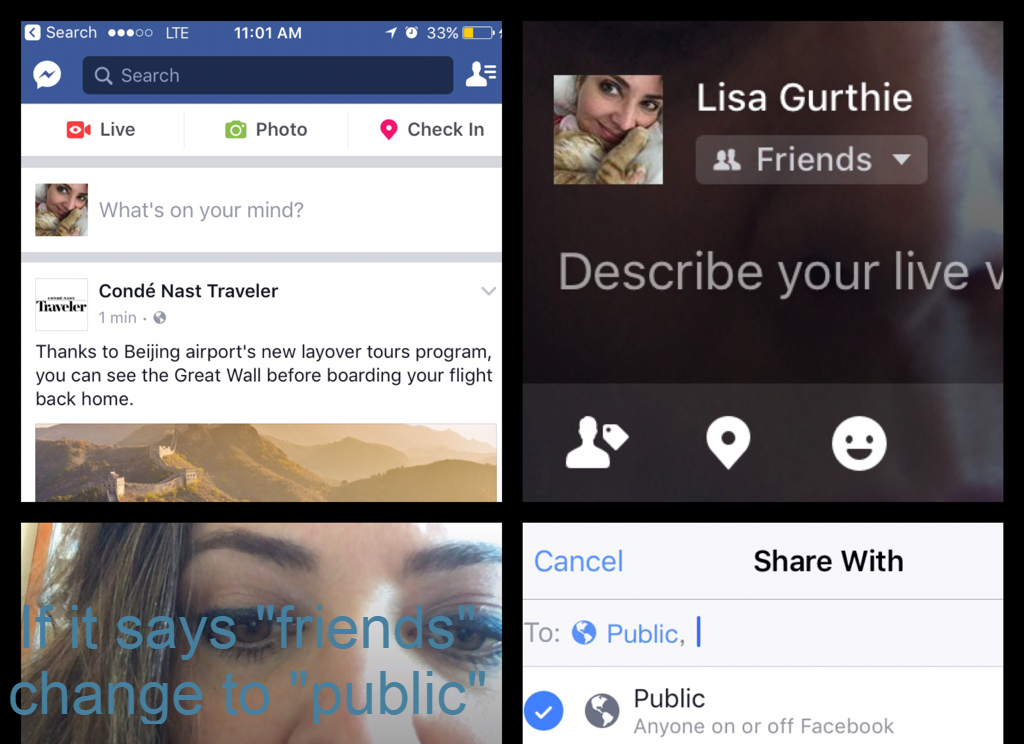 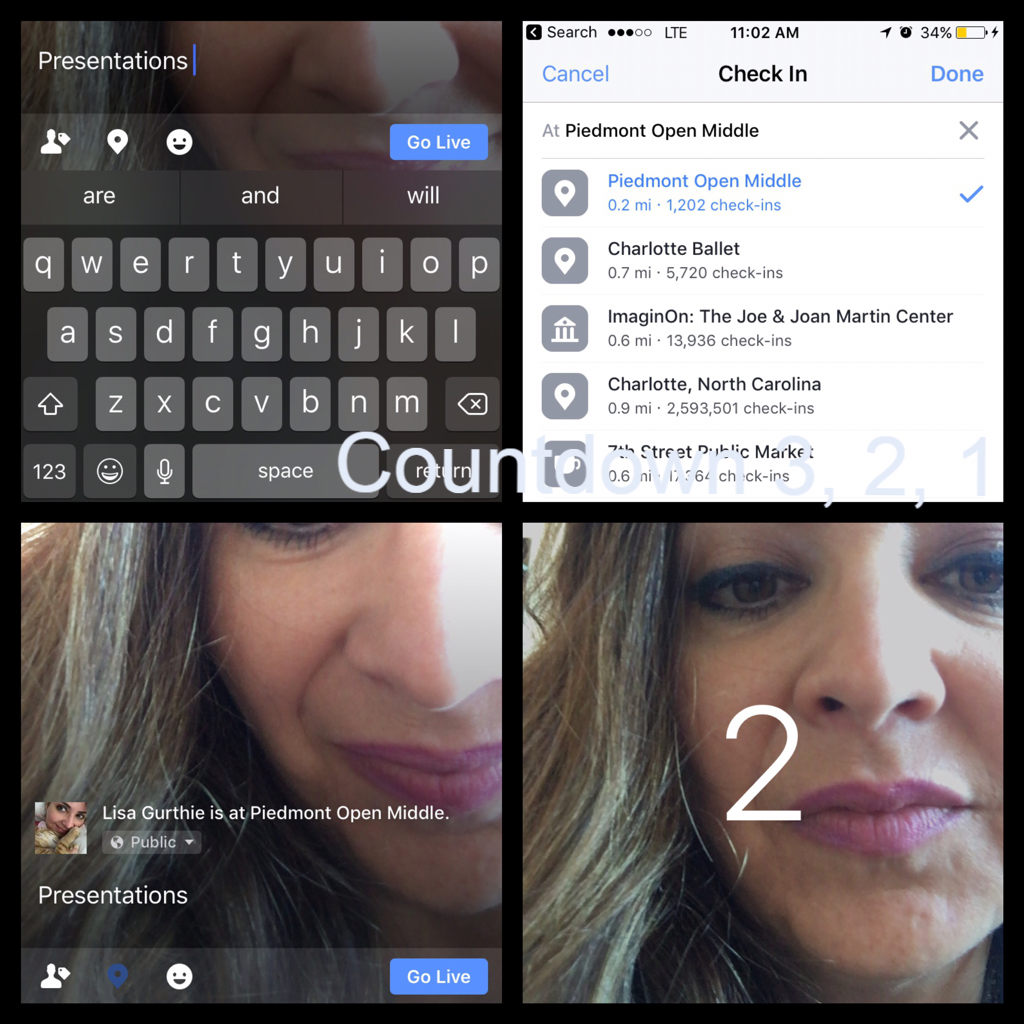 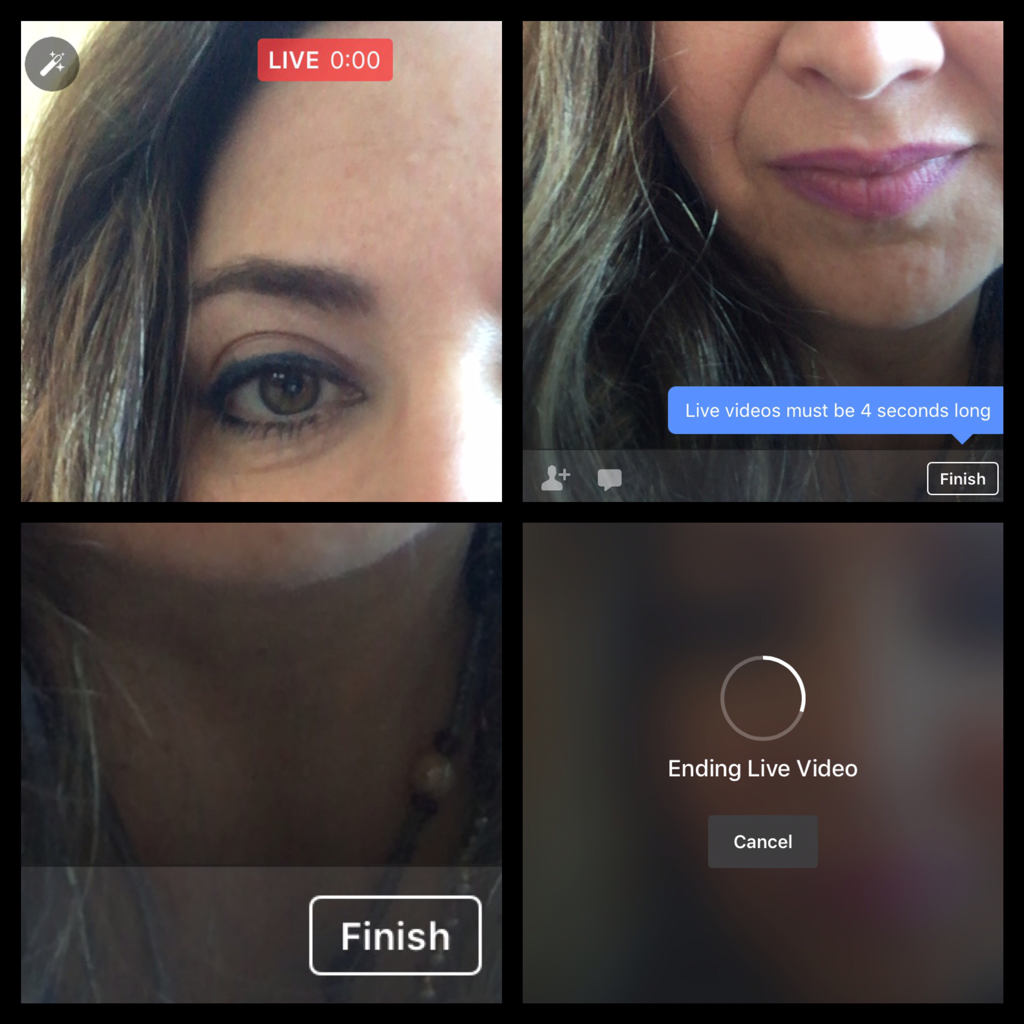 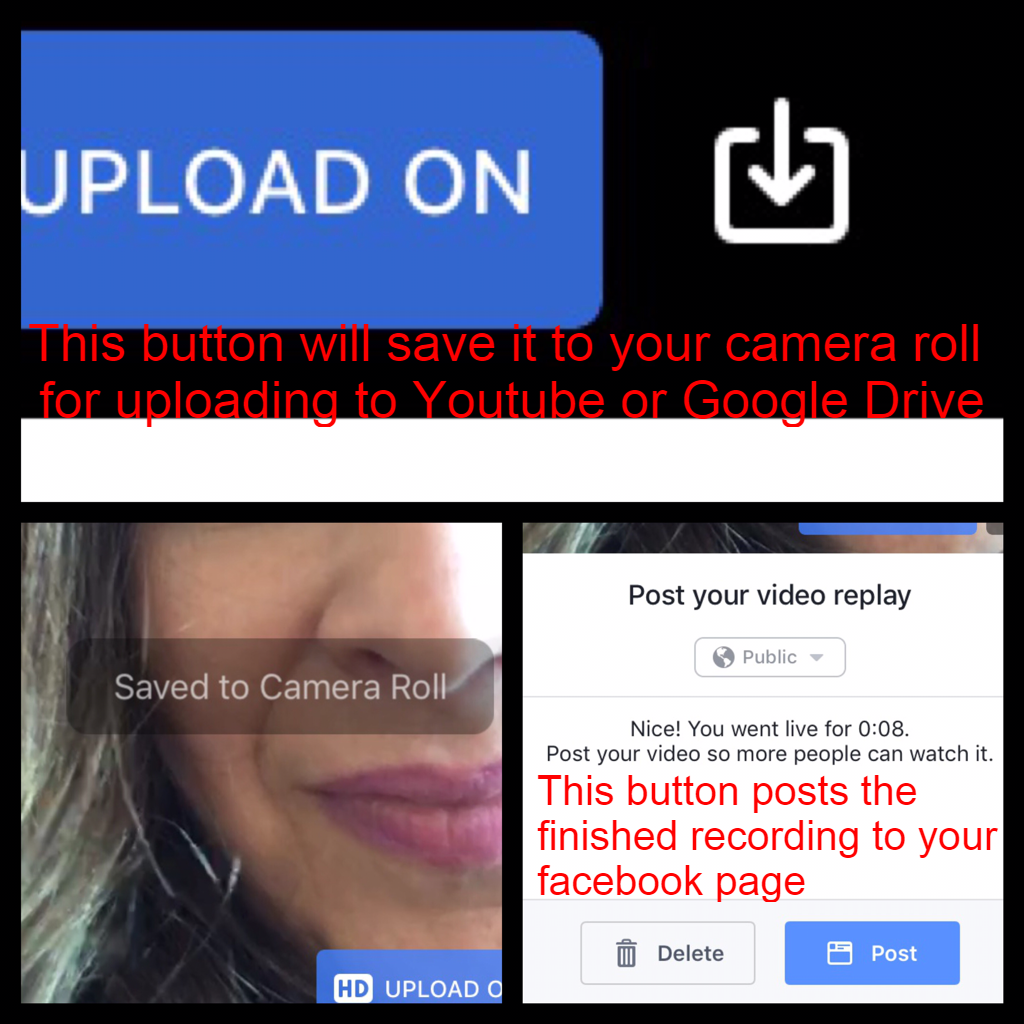
0 Comments
|
AuthorThis blog is a compendium of District and Piedmont -specific PD opportunities, trainings, and notes. Archives
November 2019
Categories
All
|
 RSS Feed
Photos from docoverachiever, memebinge, Ivy Dawned, www.ilkkajukarainen.fi, Muffet, Diana Boucino, Stephane .Jaspert, sanazmy97, kevin dooley, Mike Licht, NotionsCapital.com, studiohzwei, The Daring Librarian, bobbi vie, madnzany, lisibo, Tjeerd, Nicola since 1972, Brett Jordan, ~Matt LightJam {Mattia Merlo}, denise carbonell, The Lex Talionis, Toolstotal, liverpoolhls, Ninara
